How to Use ChatGPT with WHMCS (3 Methods Compared)
Learn how to use ChatGPT with WHMCS using three proven methods. Compare custom API, third-party connectors, and MCP Server for AI-powered hosting management.
MX Modules Team
(Updated )
In this article
- Method 1: ChatGPT + WHMCS API (Custom Code)
- How It Works
- Pros
- Cons
- Best For
- Method 2: Third-Party Connectors (Zapier, viaSocket, etc.)
- How It Works
- Available Platforms
- Pros
- Cons
- Best For
- Method 3: MCP Server (Direct AI Connection)
- How It Works
- Pros
- Cons
- Best For
- Side-by-Side Comparison
- Which Method Should You Choose?
- Choose Method 1 (Custom API) if:
- Choose Method 2 (Third-Party Connectors) if:
- Choose Method 3 (MCP Server) if:
- A Note About ChatGPT vs Claude for WHMCS
- Getting Started
- Frequently Asked Questions
- Can ChatGPT connect directly to WHMCS?
- Is it safe to give an AI access to my WHMCS data?
- Do I need separate AI subscriptions for each method?
- Can I switch methods later?
- What WHMCS version do I need?
- Related
You want to connect ChatGPT to WHMCS so AI can help run your hosting business. Makes sense. Typing a question is faster than clicking through five WHMCS admin screens to find one client's billing history.
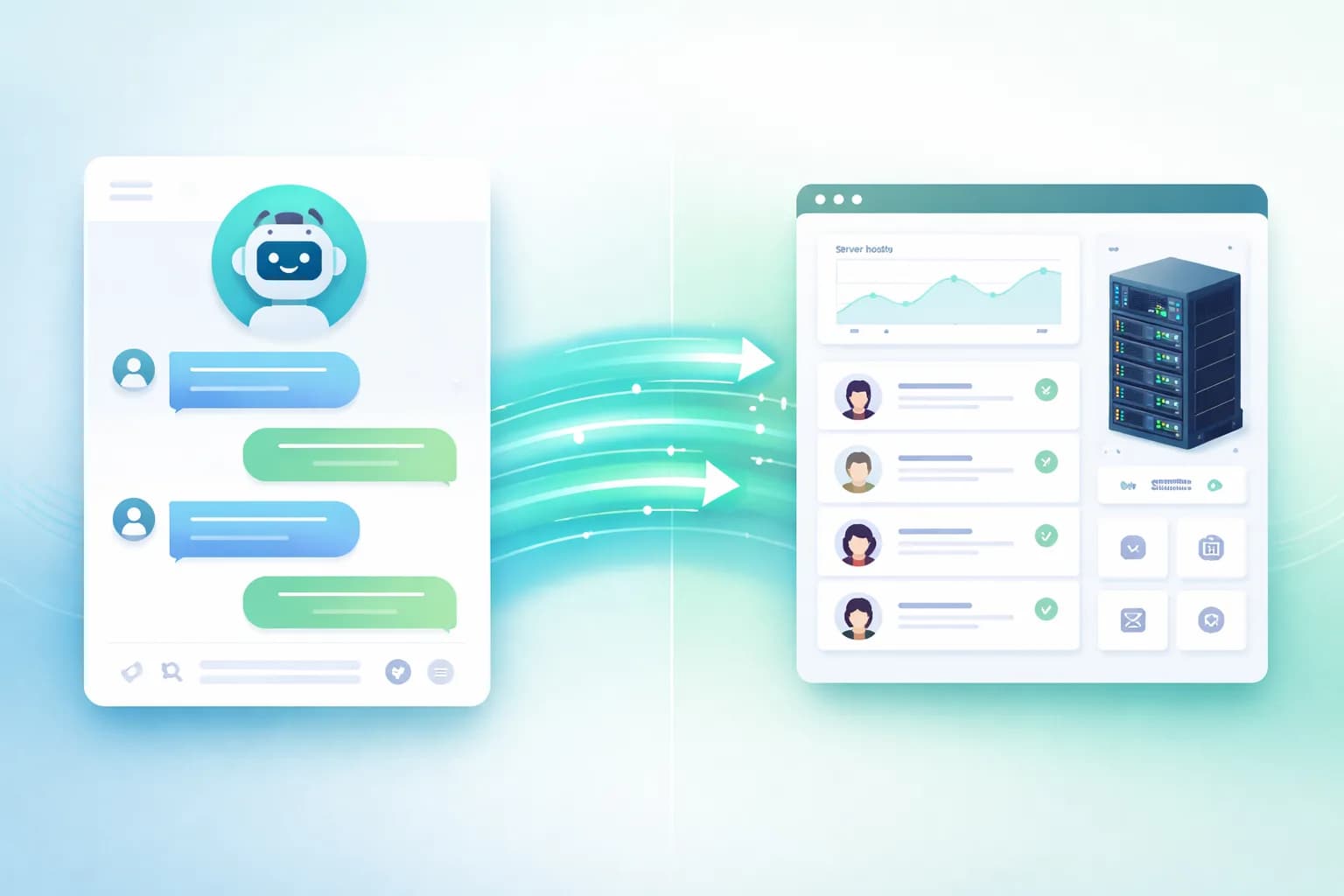
The problem: ChatGPT doesn't connect to WHMCS out of the box. Neither does Claude, Gemini, or any other AI assistant. They need a bridge.
There are three ways to connect WHMCS to ChatGPT (or any AI assistant). Each has trade-offs in setup time, flexibility, and cost. Here's a practical comparison so you can pick the right one.
Method 1: ChatGPT + WHMCS API (Custom Code)
The WHMCS API has 350+ functions. You can build a custom integration that feeds WHMCS data into ChatGPT using the OpenAI API.
How It Works
- Write a script that calls the WHMCS API to pull data (clients, invoices, tickets)
- Send that data to ChatGPT via the OpenAI API
- Display or act on the response
import openai
import requests

# Step 1: Get data from WHMCS
whmcs_response = requests.post("https://your-whmcs.com/includes/api.php", data={
    "identifier": "your_api_id",
    "secret": "your_api_secret",
    "action": "GetClients",
    "responsetype": "json"
})
clients = whmcs_response.json()

# Step 2: Ask ChatGPT to analyze it
completion = openai.chat.completions.create(
    model="gpt-4",
    messages=[{
        "role": "user",
        "content": f"Analyze these clients and find overdue accounts: {clients}"
    }]
)
print(completion.choices[0].message.content)
Pros
- Full control. You decide exactly what data goes where
- Works with any AI. ChatGPT, Claude API, Gemini, local models
- Automated workflows. Can run on a schedule without human input
- 350+ API functions. Access to everything WHMCS offers
Cons
- Requires coding skills. You need to write and maintain the integration
- Security responsibility is yours. You manage API credentials, data sanitization, and access control
- Maintenance burden. WHMCS updates can break your code
- Setup time: days to weeks. Depending on complexity
Best For
Developers who want full automation. If you have a PHP or Python developer on staff and need WHMCS data flowing into custom dashboards or automated pipelines, this gives you complete control.
For more on the WHMCS API approach, see MCP Server vs WHMCS API: Which Do You Need?.
Method 2: Third-Party Connectors (Zapier, viaSocket, etc.)
Several platforms now offer no-code connectors between WHMCS and AI. They sit in the middle and handle the data transfer for you.
How It Works
- Sign up for a connector platform (Zapier, viaSocket, Boost.space)
- Authenticate your WHMCS instance
- Choose which WHMCS actions to expose
- Connect to ChatGPT or Claude through the platform
Available Platforms
| Platform | WHMCS Actions | AI Support | Pricing |
|---|---|---|---|
| Zapier MCP | Triggers + actions | ChatGPT, Claude | Free tier + paid plans |
| viaSocket | Actions via MCP | ChatGPT, Claude, Cursor | Free tier available |
| Boost.space | Full integration | AI analytics built-in | Paid plans |
Pros
- No coding required. Point-and-click setup
- Works with ChatGPT. These platforms bridge the gap
- Quick setup. Usually under an hour
- Managed infrastructure. The platform handles uptime, updates, and security
Cons
- Your data goes through a third party. Client data, invoices, and billing details pass through their servers
- Limited WHMCS coverage. These platforms expose a subset of WHMCS functions, not all 350+
- Recurring cost. Monthly fees on top of your AI subscription
- Latency. Extra hop between WHMCS and AI adds response time
- Vendor dependency. If the platform changes their pricing or shuts down, your integration breaks
Best For
Non-technical hosting providers who want a quick setup and are comfortable with their data passing through a third-party service. Good for simple workflows like "when a new client signs up, send their info to ChatGPT for a welcome message draft."
Method 3: MCP Server (Direct AI Connection)
The Model Context Protocol (MCP) is an open standard that lets AI assistants connect directly to external tools. No middleman. Your WHMCS talks to the AI assistant through a standardized protocol.
How It Works
- Install the MCP Server module in your WHMCS
- Generate an API token in the module settings
- Add the connection to your AI assistant's configuration
- Start asking questions in plain English
{
  "mcpServers": {
    "whmcs": {
      "command": "npx",
      "args": [
        "mcp-remote",
        "https://your-whmcs.com/modules/addons/mx_mcp/mcp.php",
        "--header",
        "Authorization:Bearer YOUR_BEARER_TOKEN"
      ]
    }
  }
}
Once configured, you can ask things like:
"Show me all clients with overdue invoices this month"
"What services does client ABC Hosting have?"
"Create an invoice for client #1234 for $500 in consulting"
The AI pulls data directly from your WHMCS database, processes it, and responds.
Pros
- Data stays on your server. No third-party data transfer. The AI queries your WHMCS in real-time
- No coding required. Conversational interface in plain English
- 46 tools included. Covers clients, invoices, tickets, services, orders, quotes, proposals, metrics, and system
- 15-minute setup. Install module, generate token, configure AI assistant
- Works with local AI. Use Ollama or other local models for zero data exposure
Cons
- Best support is on Claude. Claude Desktop has native MCP support. ChatGPT does not have native MCP support yet (you'd use it through Zapier or a wrapper)
- Human-in-the-loop required. You start each interaction. It doesn't run automated tasks at 3 AM
- 46 tools, not 350+. Covers the most common operations, not every WHMCS function
Best For
Hosting providers who want AI-powered WHMCS management without coding, without third-party data exposure, and with fast setup. Currently the best experience is with Claude Desktop, which has native MCP support.
For a detailed setup walkthrough, see Connect AI to WHMCS with MCP (Setup Guide).
Side-by-Side Comparison
| Factor | Custom API | Third-Party Connectors | MCP Server |
|---|---|---|---|
| Setup time | Days to weeks | Under 1 hour | 15 minutes |
| Coding required | Yes | No | No |
| Data privacy | You control it | Data passes through third party | Data stays on your server |
| ChatGPT support | Yes (via API) | Yes | Via wrapper (not native) |
| Claude support | Yes (via API) | Yes | Native (best experience) |
| WHMCS coverage | 350+ functions | Limited subset | 46 tools |
| Automated workflows | Yes | Yes | No (human-in-the-loop) |
| Recurring cost | OpenAI API usage | Platform fees + AI fees | AI subscription only |
| Maintenance | You maintain code | Platform maintains | Module auto-updates |
Which Method Should You Choose?
Choose Method 1 (Custom API) if:
- You have a developer on staff
- You need fully automated workflows that run without human input
- You want to integrate WHMCS with CRMs, accounting software, or custom portals
- You need access to all 350+ WHMCS API functions
Choose Method 2 (Third-Party Connectors) if:
- You're not technical and want the quickest path to "ChatGPT + WHMCS"
- You're comfortable with your data passing through a third-party service
- You need simple trigger-based automations (new client signed up, invoice paid, etc.)
Choose Method 3 (MCP Server) if:
- You want AI-powered WHMCS management without coding
- Data privacy matters. You don't want client data on third-party servers
- You're comfortable using Claude instead of (or alongside) ChatGPT
- You want the fastest setup with the least maintenance
A Note About ChatGPT vs Claude for WHMCS
This post is titled "How to Use ChatGPT with WHMCS" because that's what people search for. But here's the honest answer: Claude currently has better WHMCS integration than ChatGPT because of native MCP support.
ChatGPT is excellent for general tasks. Writing emails, analyzing reports you paste in, brainstorming solutions. But for direct WHMCS data access, Claude + MCP Server is the smoother experience.
Many hosting providers use both:
- Claude for WHMCS queries (client lookups, invoice checks, ticket summaries)
- ChatGPT for general tasks (drafting content, code review, research)
For a detailed comparison, see Claude vs ChatGPT for Hosting Providers.
Getting Started
If you want to try AI with WHMCS today, here's the fastest path:
- Install MCP Server in your WHMCS (free trial available)
- Follow the setup guide to connect Claude Desktop
- Start with read-only queries: "List my clients," "Show overdue invoices"
- Once comfortable, try write operations: "Create an invoice for client X"
The entire setup takes about 15 minutes. No code, no third-party accounts, no data leaving your server.
Frequently Asked Questions
Can ChatGPT connect directly to WHMCS?
Not natively. ChatGPT doesn't have built-in MCP support like Claude does. To use ChatGPT with WHMCS, you need either a custom API integration (Method 1) or a third-party connector like Zapier (Method 2). Both work, but they require more setup than the direct MCP approach available with Claude.
Is it safe to give an AI access to my WHMCS data?
With MCP Server, your data stays on your WHMCS server. The AI queries it in real-time but doesn't store your client information. You control permissions (read-only or read-write), and every action is logged for auditing. For maximum security, you can use local AI models (like Ollama) with MCP Server so no data leaves your network at all.
Do I need separate AI subscriptions for each method?
For Method 1 (custom API), you pay per API call to OpenAI, which depends on usage. For Method 2 (connectors), you typically pay for the connector platform plus your AI subscription. For Method 3 (MCP Server), you just need a Claude Pro subscription ($20/month) and the MCP Server module. No additional platform fees.
Can I switch methods later?
Yes. The methods are independent and don't affect each other. You could start with a third-party connector (Method 2) for quick wins, then install MCP Server (Method 3) for direct access, and eventually build custom API integrations (Method 1) for specific automated workflows. Many hosting providers end up using a combination.
What WHMCS version do I need?
MCP Server requires WHMCS 8.0 or newer and PHP 8.1 or higher. It's also compatible with WHMCS 9.0. The WHMCS API has been available since much earlier versions. Third-party connectors vary by platform, but most support WHMCS 8.x and above.
Related
- Connect AI to WHMCS with MCP (Setup Guide) - Step-by-step MCP Server installation and configuration
- Claude vs ChatGPT for Hosting Providers - Detailed comparison for WHMCS use cases
- MCP Server vs WHMCS API: Which Do You Need? - When to use each integration approach
- 10 WHMCS Tasks You Can Automate with AI - Practical automation examples

MCP Server
AI Integration for WHMCS
Connect AI to your WHMCS. Query clients, invoices, and tickets using natural language. Cancel anytime.
Did you find this helpful?
Join other WHMCS professionals and get our latest guides and AI tips directly in your inbox.
MX Modules Team
We run a hosting business on WHMCS. These modules are the tools we built to solve our own problems, and now we share them with other providers.