Send Client Proposals from WHMCS
WHMCS has no built-in proposal system. Learn how hosting providers send professional proposals with pricing tables, deposits, and e-signatures inside WHMCS.
MX Modules Team
(Updated )
In this article
- Why WHMCS Doesn't Include Proposals
- How Most Providers Handle It Today
- What a WHMCS Proposal System Should Do
- How MX Proposals Works Inside WHMCS
- Step 1: Create a Proposal
- Step 2: Add Line Items
- Step 3: Configure Payment Terms
- Step 4: Send to Client
- Step 5: Track Everything
- What's Included
- Frequently Asked Questions
- Can I use MX Proposals without any coding?
- Does the client need a WHMCS account to view a proposal?
- What WHMCS versions are supported?
- Can I customize the proposal page with my branding?
- How do digital signatures work?
- Is there a way to convert an accepted proposal into a WHMCS invoice?
- What happens when a proposal expires?
- Can I embed a video walkthrough in my proposal?
- Can I save proposals as templates for reuse?
- What are permanent proposals?
WHMCS does not have a built-in way to send proposals to clients. If you need to quote a custom hosting setup, managed services package, or migration project, you are left with email threads, PDF attachments, or external tools like PandaDoc.
This guide explains how hosting providers handle proposals today, what the common problems are, and how MX Proposals adds this functionality directly inside WHMCS.
Why WHMCS Doesn't Include Proposals
WHMCS is built around products, invoices, and support tickets. It assumes you sell fixed-price items from a catalog. A client picks a plan, pays, and gets provisioned automatically.
But many hosting providers also sell custom work:
| Scenario | What you need to quote |
|---|---|
| Server migration | Hours of work + new hosting plan |
| Managed services | Monthly retainer + setup fee |
| Custom development | Project scope + milestones |
| Infrastructure upgrade | Hardware + labor + ongoing support |
| White-label reseller deal | Volume pricing + SLA terms |
For these, you need a proposal that the client can review, negotiate, and accept before any invoice is generated. WHMCS doesn't offer this workflow.
How Most Providers Handle It Today
We surveyed our own hosting operation and talked to other providers. Here's what people actually do:
Email + spreadsheet (most common): You write an email with pricing details, maybe attach a PDF. The client replies "looks good." You manually create the invoice in WHMCS. Problems: no signature trail, easy to lose in email threads, no payment tracking.
Google Docs or Word: You create a document, share it with the client, wait for comments. Then copy everything into WHMCS manually. Problems: version control, no integration with billing, time-consuming.
External tools (PandaDoc, Proposify): These work well for proposals, but they don't connect to WHMCS. You create the proposal in one system and the invoice in another. Problems: double data entry, extra monthly cost ($19-49/mo per user), no link between proposal and WHMCS client record.
Phone or chat agreement: For small deals, some providers just agree verbally and create the invoice. Problems: no paper trail, disputes later, unprofessional for larger clients.
None of these options keep everything inside WHMCS where your client data, invoices, and support tickets already live.
What a WHMCS Proposal System Should Do
Based on real workflows from hosting providers, a proposal system inside WHMCS needs to handle:
- Create proposals linked to existing clients so you don't re-enter contact information
- Include a services table with line items, quantities, and pricing
- Set an expiry date so quotes don't stay open indefinitely
- Let the client view it online without logging into WHMCS admin
- Collect a digital signature as formal acceptance
- Support deposits and payment plans for larger projects
- Track status (draft, sent, viewed, accepted, expired, declined)
- Store everything in one place alongside invoices and tickets
How MX Proposals Works Inside WHMCS
MX Proposals is a WHMCS addon module that adds a full proposal system to the admin panel. Here's the actual workflow:
Step 1: Create a Proposal
From the WHMCS admin, go to Addons > MX Proposals > Create New. Select the client from your existing WHMCS client list. Add a title, description, and expiry date.
Step 2: Add Line Items
Build your services table directly in the admin panel:
| Description | Qty | Unit Price | Total |
|---|---|---|---|
| Server Migration (2 servers) | 2 | $150.00 | $300.00 |
| cPanel Setup + Hardening | 1 | $75.00 | $75.00 |
| DNS Migration | 1 | $50.00 | $50.00 |
| Monthly Managed Hosting | 1 | $120.00/mo | $120.00/mo |
| Subtotal | $425.00 + $120/mo |
Step 3: Configure Payment Terms
Choose whether to require full payment upfront or split it:
- Full payment: Client pays the total on acceptance
- Deposit + balance: Collect a percentage upfront, invoice the rest later
- Payment plan (Pro): Split into installments over weeks or months
Step 4: Send to Client
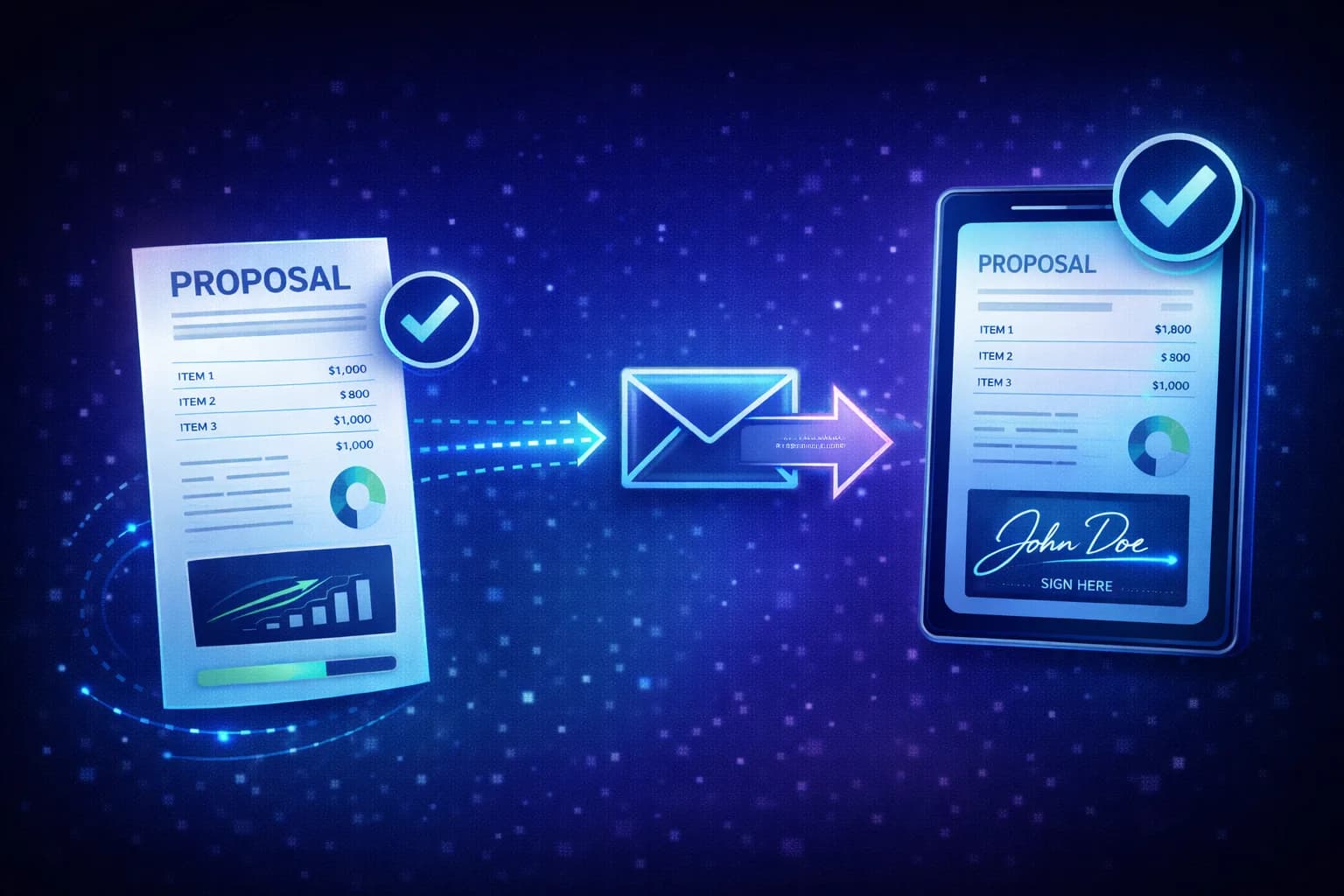
The client receives a link to view the proposal online. No WHMCS login required. The proposal page shows:
- Your company branding (logo, colors)
- The full proposal with services table
- Optional video introduction or PDF attachment
- Terms and conditions
- A signature pad for digital acceptance
- A payment form for the deposit or full amount
Step 5: Track Everything
Back in the admin panel, you see real-time status:
| Status | What it means |
|---|---|
| Draft | Not yet sent to the client |
| Sent | Client has received the link |
| Viewed | Client has opened the proposal |
| Accepted | Signed and deposit paid (if applicable) |
| Declined | Client rejected the proposal |
| Expired | Past the expiry date without action |
What's Included
MX Proposals includes all features in a single plan at $25/month ($280/year). Start with a 15-day free trial to test everything before committing.
| Feature | Included |
|---|---|
| Unlimited proposals | Yes |
| Services table | Yes |
| Digital signatures | Yes |
| Deposit collection | Yes |
| Client portal view | Yes |
| Custom branding (logo, colors) | Yes |
| Video embed in proposals | Yes |
| Unlimited PDF attachments | Yes |
| Payment plans (installments) | Yes |
| Proposal templates (clone and reuse) | Yes |
| Permanent proposals (send to multiple clients) | Yes |
| Advanced analytics and audit trail | Yes |
Every feature is available during the 15-day free trial. No credit card required to start.
Frequently Asked Questions
Can I use MX Proposals without any coding?
Yes. MX Proposals installs like any WHMCS addon module. Upload the files, activate in WHMCS admin, and the proposal system appears under Addons. No PHP editing, no template modifications, no API configuration.
Does the client need a WHMCS account to view a proposal?
No. The client receives a unique link that loads the proposal on a standalone page. They can view it, sign it, and pay without logging into WHMCS. However, the proposal is linked to their WHMCS client record on the backend.
What WHMCS versions are supported?
MX Proposals requires WHMCS 8.0 or higher and PHP 8.1 or higher. It works with all WHMCS editions (Starter, Plus, Business).
Can I customize the proposal page with my branding?
You can upload your company logo, set brand colors, and the proposal page will match your company's visual identity. Branding is included with MX Proposals.
How do digital signatures work?
The client draws their signature on a touch-enabled pad (works on desktop and mobile). The signature is stored as an SVG image and attached to the proposal record with a timestamp. This provides a clear audit trail of acceptance. For a deeper look, read Digital Signatures for WHMCS Providers.
Is there a way to convert an accepted proposal into a WHMCS invoice?
This feature is on the roadmap. Currently, you create the corresponding WHMCS invoice manually after acceptance. The proposal record shows all the line items and amounts for easy reference.
What happens when a proposal expires?
Expired proposals show a clear "Expired" status to both you and the client. You can duplicate an expired proposal to create a new one with updated terms if the client comes back later.
Can I embed a video walkthrough in my proposal?
On the Pro plan, yes. You can embed a video URL (YouTube, Vimeo, or self-hosted) that plays directly on the proposal page. This is useful for explaining complex setups or giving the client a personal introduction to the project scope.
Can I save proposals as templates for reuse?
With Pro, you can clone any existing proposal to create a new one with the same line items, payment terms, and settings. The clone starts as a fresh draft with "(Copy)" appended to the title. This is useful when you quote similar projects repeatedly. Build a template for server migrations, another for managed services, and clone them instead of starting from scratch each time.
What are permanent proposals?
Permanent proposals (Pro) are reusable proposals that can be accepted by multiple clients independently. Instead of assigning one client, you create the proposal once and send the same link to several prospects. Each client signs and pays separately, and each gets their own submission record, invoice, and order in WHMCS. The proposal stays active after each acceptance. This is useful for client acquisition campaigns, standard service packages, or seasonal offers where you want multiple clients to accept the same terms without creating a separate proposal for each one.
Related: See how MX Proposals compares to PandaDoc and manual methods, learn why hosting providers lose custom deals without a formal proposal process, or explore how to collect deposits and offer payment plans on large projects. Want to trigger Slack alerts or CRM updates when clients sign? See how to automate proposals with webhooks. For installation and setup, visit the MX Proposals documentation.
MX Proposals
Professional Proposals for WHMCS
Send branded proposals with e-signatures, deposits, and payment plans inside WHMCS.
Did you find this helpful?
Join other WHMCS professionals and get our latest guides and AI tips directly in your inbox.
MX Modules Team
We run a hosting business on WHMCS. These modules are the tools we built to solve our own problems, and now we share them with other providers.

